# Telegram
## Auto Buy
{% hint style="info" %}
Auto Buy executes buy transactions when a contract address is posted in the selected Telegram or Discord channel.
Keep the target channel open so the extension can continuously monitor it and trigger buys.
If both SOL and EVM extensions are active, Bloom automatically detects the blockchain and applies the correct Quick Buy behavior.
{% endhint %}
***
## Running Auto Buy
{% stepper %}
{% step %}
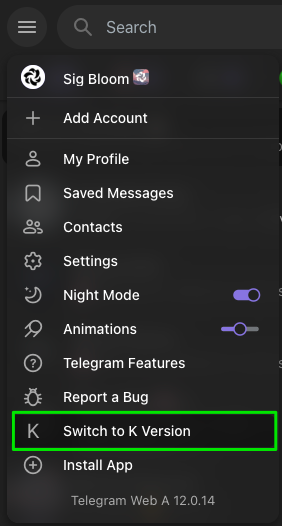
Use **Telegram K** to enable Bloom’s Telegram Web feature. You can switch versions from Telegram Settings, as shown below.
{% endstep %}
{% step %}
Keep only one Telegram Web tab open per window. Multiple tabs in the same window will disable Auto Buy.
{% endstep %}
{% step %}
Leave the target Telegram tab open while Auto Buy is enabled.
{% endstep %}
{% step %}
Set the Auto Buy Amount in Scraper Settings before enabling the feature.
{% endstep %}
{% step %}
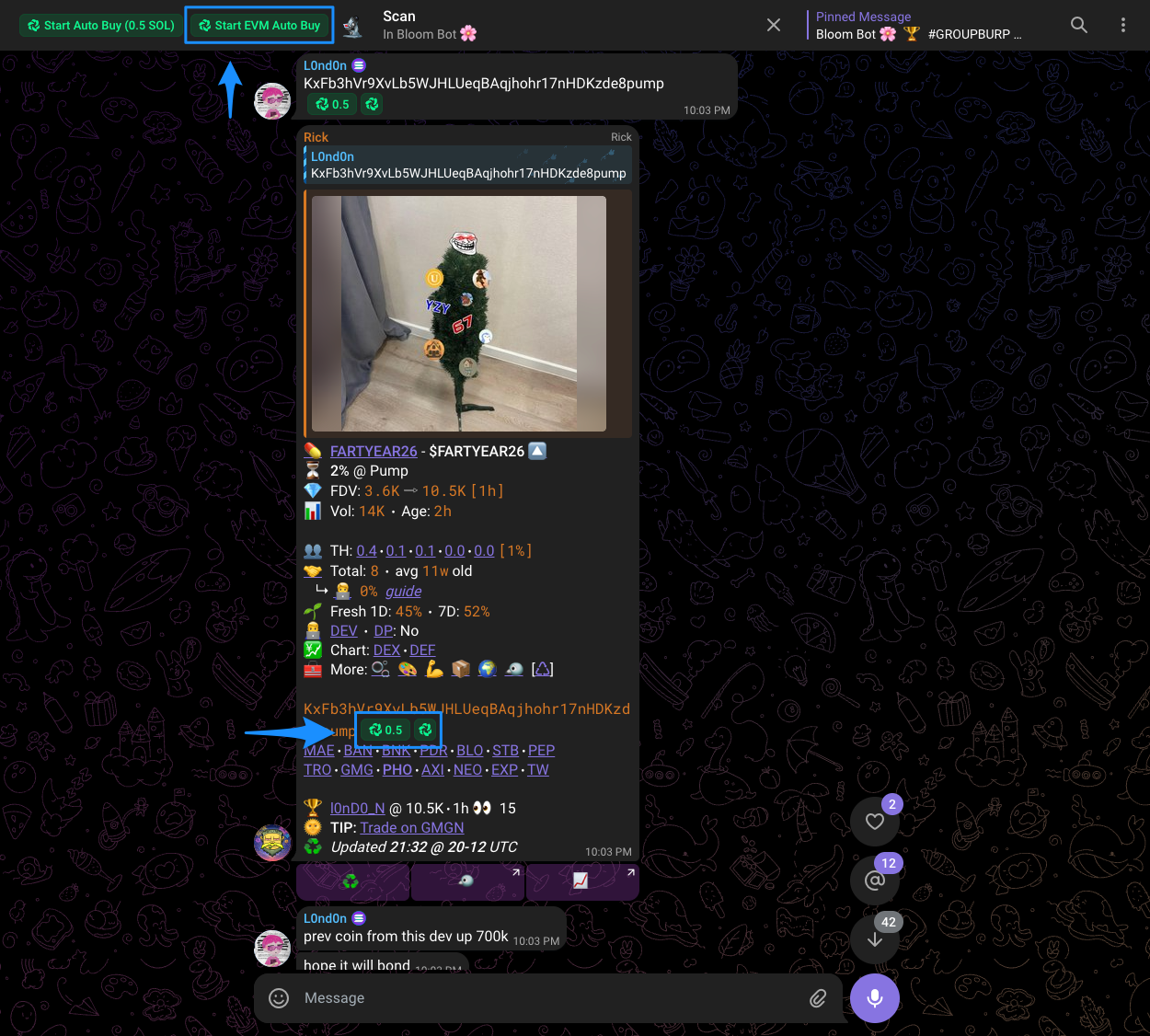
Tap Start EVM Auto Buy on Telegram to begin.
{% endstep %}
{% endstepper %}
How to run multiple tabs?
To run multiple Telegram tabs, open one tab per separate PC window.