
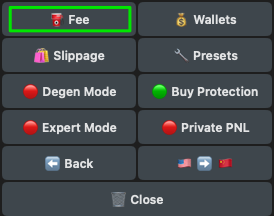
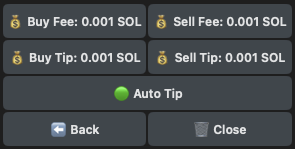
| Button | Action |
|---|---|
| Buy Fee | Set the transaction fee for buying. |
| Sell Fee | Set the transaction fee for selling. |
| Buy Tip | Set the Jito buy tip fee to prioritize the inclusion of your transaction in the next block. |
| Sell Tip | Set the Jito sell tip fee to prioritize the inclusion of your transaction in the next block. |
| Auto Tip | If enabled, it automatically selects the Jito-suggested tip. Priority fees are set to a fixed amount since the tip is what matters for Jito Blocks. |