> For the complete documentation index, see [llms.txt](https://docs.bloombot.app/llms.txt). Markdown versions of documentation pages are available by appending `.md` to page URLs; this page is available as [Markdown](https://docs.bloombot.app/solana/solana-bot/twitter.md).
# Twitter
{% hint style="info" %}
Twitter tasks automate trades from Twitter activity. Five modes track different signals and fire buys or sells automatically.
{% endhint %}
{% hint style="danger" %}
AFK Twitter tasks expire after 7 days. If you don't stop and restart the task within that period, it will be automatically set as inactive.
{% endhint %}
***
### Setup
{% stepper %}
{% step %}
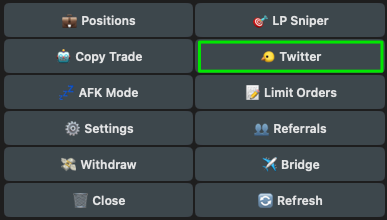
Access the Twitter menu from the home menu or use the /twitter command.
{% endstep %}
{% step %}
Tap Add new config.
| Button | Action |
| ------------------- | ---------------------------------------------------------------------------------------- |
| Update Tasks Wallet | Update the wallet currently in use. The change applies to all active and inactive tasks. |
| Add new config | Add a new Twitter tracking configuration. |
| Mass Create | Bulk create configurations for multiple target accounts. |
| {% endstep %} | |
{% step %}
#### Select Task Type
A menu appears with five modes. Each one tracks a different Twitter signal:
* **CA Scanner**: triggers when a contract address appears in a tweet from the tracked account.
* **Engagement**: triggers when the tracked account replies to, retweets, or quote tweets a specific tweet.
* **Follow / Unfollow**: triggers when an account follows or unfollows another user.
* **Posts & Replies**: triggers when the tracked account posts, replies, retweets, or quote tweets.
* **Tweet Delete**: triggers when a specific tweet is deleted by its author.
{% endstep %}
{% endstepper %}
***
### Create Twitter Task
{% tabs %}
{% tab title="CA Scanner" %}
Buys contracts posted by the tracked account in tweets, retweets, replies, or quotes.
**Flow**
{% stepper %}
{% step %}
Select CA Scanner from the task type menu. The standard config opens.
{% endstep %}
{% step %}
Set the Twitter Handle and any additional filters, then toggle the task Active.
{% endstep %}
{% endstepper %}
**Config**
| Field | Description |
| -------------- | -------------------------------------------------------------------------------------------------------------------------------------------------- |
| Wallet | Wallet used for the task. |
| Config Name | Custom name for this task. |
| Buy | SOL amount spent per buy. |
| Min Amount Out | Minimum number of tokens to receive on the buy. |
| Max Buy Count | Maximum contracts the task will buy. Set to 1 for the first only, 2 for the first two, and so on. Changing the target does not reset this counter. |
| Current Trades | Number of contracts this configuration has bought so far. |
| Reset Count | Resets Current Trades back to zero. |
| Twitter Handle | Twitter handle to track. URL or username without the @. |
| Twitter Post | Buys contracts posted in an original tweet. Includes contracts taken from the quoted text in a quote tweet. |
| Twitter Reply | Buys contracts posted in a reply. |
| Twitter Repost | Buys contracts taken from the original tweet on a retweet. |
| Twitter Quote | Buys contracts posted in a quote tweet. |
| Twitter OCR | Detects and buys contracts from images posted by the target account. |
| Start | Task start time (UTC). |
| End | Task end time (UTC). |
| Min Market Cap | Minimum market cap required at the moment of the post. Below threshold, the buy is skipped. |
| Max Market Cap | Maximum market cap allowed at the moment of the post. Above threshold, the buy is skipped. |
| Min Token Age | Minimum time since token creation. For Pump.fun migrated coins, counted from bonding. |
| Max Token Age | Maximum time since token creation. For Pump.fun migrated coins, counted from bonding. |
| Fee | Transaction fee for the buy order. |
| Slippage | Buy slippage percentage. |
| Buy Protection | MEV protection against sandwich attacks. |
| Auto Tip | Uses the recommended Jito tip automatically. Priority fee stays fixed since the tip is what matters for Jito Blocks. |
| Buy Tip | Tip to prioritize inclusion in the next block. |
| Platforms | Restrict the task to specific token platforms. Use Select All or Deselect All to toggle the entire list, or pick individual platforms. |
| Active | Activate/Deactivate the config. |
| Limit Orders | Attach limit orders to the task. See the dedicated guide. |
| Duplicate | Duplicate the current config. |
| Delete | Delete the current config. |
| {% endtab %} | |
{% tab title="Engagement" %}
Triggers a buy when the tracked account replies to, retweets, or quote tweets a specific tweet.
**Flow**
{% stepper %}
{% step %}
Enter the Twitter handle of the user interacting with the tweet (reply, repost, quote).
{% endstep %}
{% step %}
Enter the tweet URL or ID to monitor for interactions.
{% endstep %}
{% step %}
Enter the token address to buy or sell when the action is detected.
{% endstep %}
{% step %}
Select which actions should trigger a trade, then continue to configure the task. Toggle Reply, Repost, or Quote, then click Confirm.
{% endstep %}
{% endstepper %}
**Config**
| Field | Description |
| -------------- | -------------------------------------------------------------------------------------------------------------------- |
| Wallet | Wallet used for the task. |
| Config Name | Custom name for this task. |
| Buy | SOL amount spent per buy. |
| Min Amount Out | Minimum number of tokens to receive on the buy. |
| Max Buy Count | Maximum buys the task will execute. Changing the target does not reset this counter. |
| Current Trades | Number of buys this configuration has executed so far. |
| Reset Count | Resets Current Trades back to zero. |
| Target Account | Handle of the account whose interactions you want to track. |
| Tweet | URL or numeric ID of the tweet to monitor. |
| Token | Contract address of the token to buy. |
| Twitter Reply | Buys when the Target Account replies to the tweet. |
| Twitter Repost | Buys when the Target Account retweets the tweet. |
| Twitter Quote | Buys when the Target Account quote tweets the tweet. |
| Start | Task start time (UTC). |
| End | Task end time (UTC). |
| Fee | Transaction fee for the buy order. |
| Slippage | Buy slippage percentage. |
| Buy Protection | MEV protection against sandwich attacks. |
| Auto Tip | Uses the recommended Jito tip automatically. Priority fee stays fixed since the tip is what matters for Jito Blocks. |
| Buy Tip | Tip to prioritize inclusion in the next block. |
| Active | Activate/Deactivate the config. |
| Limit Orders | Attach limit orders to the task. See the dedicated guide. |
| Duplicate | Duplicate the current config. |
| Delete | Delete the current config. |
| {% endtab %} | |
{% tab title="Follow / Unfollow" %}
Triggers a buy or sell when an account follows or unfollows another user.
**Flow**
{% stepper %}
{% step %}
Follow the prompts in the Telegram messages to enter the Target Account, the Followed Account, and the Token Address.
{% endstep %}
{% step %}
The final menu shows the action toggles, the Side, and a Continue button. Toggle Follow or Unfollow, pick Side (Buy or Sell), then click Continue. The standard config opens.
{% endstep %}
{% endstepper %}
**Config**
| Field | Description |
| ---------------- | ---------------------------------------------------------------------------------------------------------------------------------------- |
| Wallet | Wallet used for the task. |
| Config Name | Custom name for this task. |
| Buy / Sell | SOL amount for a buy, or percentage of token holdings for a sell. The label and unit follow the Side selection. |
| Min Amount Out | Minimum number of tokens to receive on the buy. |
| Max Buy Count | Maximum trades the task will execute. Changing the target does not reset this counter. |
| Current Trades | Number of trades this configuration has executed so far. |
| Reset Count | Resets Current Trades back to zero. |
| Target Account | Handle of the account whose follow activity you want to track. |
| Followed Account | Handle of the account being followed or unfollowed. Set to trigger only when the Target Account follows or unfollows this specific user. |
| Token | Contract address of the token to buy or sell. |
| Side | Buy to open a position. Sell to close one. |
| Follow | Triggers when the Target Account follows a new user. |
| Unfollow | Triggers when the Target Account unfollows a user. |
| Start | Task start time (UTC). |
| End | Task end time (UTC). |
| Fee | Transaction fee for the order. |
| Slippage | Slippage percentage for the order. |
| Buy Protection | MEV protection against sandwich attacks. |
| Auto Tip | Uses the recommended Jito tip automatically. Priority fee stays fixed since the tip is what matters for Jito Blocks. |
| Buy Tip | Tip to prioritize inclusion in the next block. |
| Active | Activate/Deactivate the config. |
| Limit Orders | Attach limit orders to the task. See the dedicated guide. |
| Duplicate | Duplicate the current config. |
| Delete | Delete the current config. |
| {% endtab %} | |
{% tab title="Posts & Replies" %}
Triggers a buy or sell when the tracked account posts, replies, retweets, or quote tweets.
**Flow**
{% stepper %}
{% step %}
Follow the prompts in the Telegram messages to enter the Target Account and the Token Address. The Configure Actions menu opens. Toggle Tweet, Reply, Repost, and Quote to pick the actions that trigger a trade. Pick Side (Buy or Sell), then click Continue.
{% endstep %}
{% step %}
The Original Poster prompt appears.
{% endstep %}
{% step %}
The Text Keywords prompt appears. After this, the standard config opens.
{% endstep %}
{% endstepper %}
**Config**
| Field | Description |
| --------------- | ---------------------------------------------------------------------------------------------------------------------------------------------------------------------------------------------- |
| Wallet | Wallet used for the task. |
| Config Name | Custom name for this task. |
| Buy / Sell | SOL amount for a buy, or percentage of token holdings for a sell. The label and unit follow the Side selection. |
| Min Amount Out | Minimum number of tokens to receive on the buy. |
| Max Buy Count | Maximum trades the task will execute. Changing the target does not reset this counter. |
| Current Trades | Number of trades this configuration has executed so far. |
| Reset Count | Resets Current Trades back to zero. |
| Target Account | Handle of the account whose posting activity you want to track. |
| Original Poster | Handle of the original poster of the tweet being interacted with. Filters replies, retweets, and quotes to those that involve this poster's tweets. Set to Any to disable the filter. |
| Token | Contract address of the token to buy or sell. |
| Side | Buy to open a position. Sell to close one. |
| Keywords | List of keywords to match against the post text. The task fires when any keyword appears in the post or the quoted/replied tweet; capitalization is ignored. Set to Any to disable. Up to 500. |
| Match | • Exatct: The keyword musy fully match.
• Partial: the keyword should partially match.
|
| Twitter Post | Triggers when the Target Account posts an original tweet. |
| Twitter Reply | Triggers when the Target Account replies. |
| Twitter Repost | Triggers when the Target Account retweets. |
| Twitter Quote | Triggers when the Target Account quote tweets. |
| Start | Task start time (UTC). |
| End | Task end time (UTC). |
| Fee | Transaction fee for the order. |
| Slippage | Slippage percentage for the order. |
| Buy Protection | MEV protection against sandwich attacks. |
| Auto Tip | Uses the recommended Jito tip automatically. Priority fee stays fixed since the tip is what matters for Jito Blocks. |
| Buy Tip | Tip to prioritize inclusion in the next block. |
| Active | Activate/Deactivate the config. |
| Limit Orders | Attach limit orders to the task. See the dedicated guide. |
| Duplicate | Duplicate the current config. |
| Delete | Delete the current config. |
| {% endtab %} | |
{% tab title="Tweet Delete" %}
Triggers a buy or sell when a specific tweet is deleted by its author.
**Flow**
{% stepper %}
{% step %}
Follow the prompts in the Telegram messages to enter the Tweet URL or ID and the Token Address.
{% endstep %}
{% step %}
The Configure Task menu appears. The task fires when the tweet above is deleted. Pick Side (Buy or Sell), then click Confirm. The standard config opens.
{% endstep %}
{% endstepper %}
**Config**
| Field | Description |
| -------------- | -------------------------------------------------------------------------------------------------------------------- |
| Wallet | Wallet used for the task. |
| Config Name | Custom name for this task. Auto-generated and editable. |
| Buy / Sell | SOL amount for a buy, or percentage of token holdings for a sell. The label and unit follow the Side selection. |
| Tweet | URL or numeric ID of the tweet to monitor for deletion. |
| Token | Contract address of the token to buy or sell. |
| Side | Buy to open a position. Sell to close one. |
| Start | Task start time (UTC). |
| End | Task end time (UTC). |
| Fee | Transaction fee for the order. |
| Slippage | Slippage percentage for the order. |
| Buy Protection | MEV protection against sandwich attacks. |
| Auto Tip | Uses the recommended Jito tip automatically. Priority fee stays fixed since the tip is what matters for Jito Blocks. |
| Buy Tip | Tip to prioritize inclusion in the next block. |
| Active | Activate/Deactivate the config. |
| Duplicate | Duplicate the current config. |
| Delete | Delete the current config. |
| {% endtab %} | |
| {% endtabs %} | |
***
### Auto Orders
When you create a task that supports auto orders, the bot prompts you to attach an existing auto order group. Pick a group from the list, or select No Auto Orders to skip.
***
### Limit Orders
Limit Orders work the same as today. The dedicated menu lives inside each task config. Open Limit Orders from any config to manage the attached orders. See the dedicated guide for the full configuration reference.
---
# Agent Instructions
This documentation is published with GitBook. GitBook is the documentation platform designed so that both humans and AI agents can read, navigate, and reason over technical content effectively. Learn more at gitbook.com.
## Querying This Documentation
If you need additional information that is not directly available in this page, you can query the documentation by asking a question.
Perform an HTTP GET request on the following URL with the `ask` and `goal` query parameters:
```
GET https://docs.bloombot.app/solana/solana-bot/twitter.md?ask=&goal=
```
`ask` is the immediate question: it should be specific, self-contained, and written in natural language.
`goal` is what the user is ultimately trying to achieve, the reason they need the answer. Sharing it helps GitBook give you a better, more relevant answer. A goal is most helpful when it describes the outcome the user wants rather than restating the question. For example, with `ask=how do I create an API token`, a goal like `automate deployments from our CI pipeline` lets GitBook tailor the answer to that use case.
The response will contain a direct answer to the question and relevant excerpts and sources from the documentation.
Use this mechanism when the answer is not explicitly present in the current page, you need clarification or additional context, or you want to retrieve related documentation sections.